
Quick answer
IPTV Smarters Pro is a free IPTV player for Android, Fire TV, iOS, Windows, Mac and some smart TVs. It has no channels of its own: you log in with the Xtream Codes details or M3U link from your IPTV service, and it shows live TV, films, series and the EPG.
On this page

IPTV Smarters Pro is a player, not a provider
IPTV Smarters Pro is an app that plays IPTV. Think of it like a web browser: it shows content, but the content comes from somewhere else. When people search for an "IPTV Smarters Pro subscription", what they need is an IPTV service whose login works in Smarters — for example an Ottoceean plan.
Smarters supports Xtream Codes API logins (server, username, password) and M3U playlists, with live TV, movies, series, catch-up and an EPG guide.
Where to download IPTV Smarters Pro
| Device | Where to get it |
|---|---|
| Android phone / tablet | Google Play Store |
| Android TV / Google TV | Google Play on the TV, or sideload — Android guide |
| Firestick / Fire TV | Downloader app — Firestick guide |
| iPhone, iPad, Apple TV | App Store (as "Smarters Player Lite" or IPTV Smarters) — iOS guide |
| Samsung / LG TV | The TV's app store, where available — Smart TV guide |
| Windows / Mac | Official IPTV Smarters website — desktop guide |
| Roku | Developer Mode only — Roku guide |
Avoid cracked versions
Only download from official stores or the developer's website. Modified "premium" or "unlocked" versions shared on forums are a common source of malware and stolen logins.
How to log in
Open IPTV Smarters Pro and accept the terms
On first launch choose your layout (TV or mobile) and accept the terms of use.
Choose "Login with Xtream Codes API"
This is the recommended option. If you only have an M3U link, choose Load Your Playlist or File/URL instead.
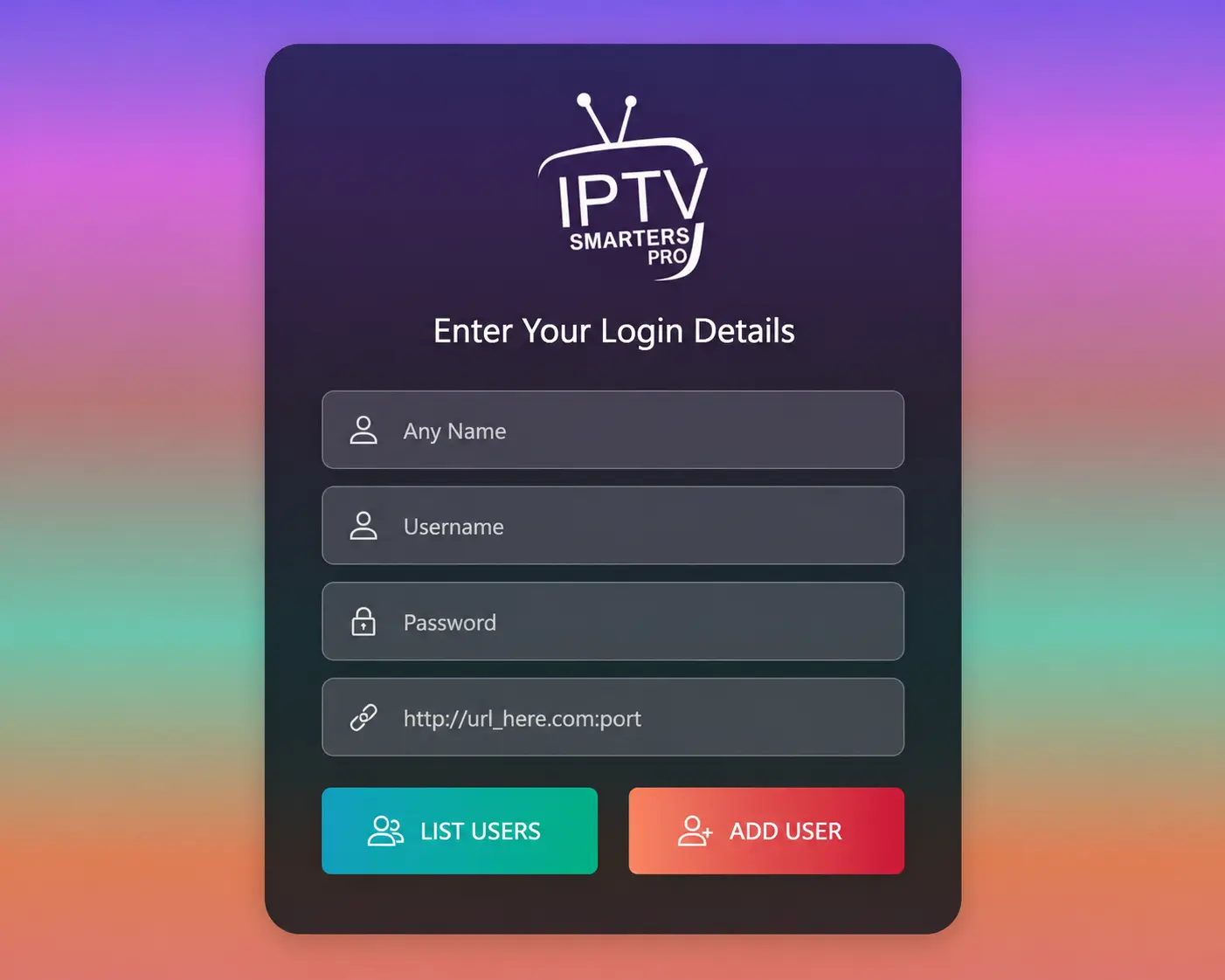
Enter your details
Any name (e.g. "Ottoceean"), then your username, password and server URL exactly as we sent them, including
http://and the port.Add user and wait for the download
The app downloads live channels, movies and series. The first time this can take a minute.
Install the EPG
On the home screen press Install EPG (or open Settings → EPG) so the TV guide appears.
Useful settings
- Settings → Player selection: switch between the built-in player and VLC/ExoPlayer if a channel will not play.
- Settings → Time format / EPG time shift: fix a guide that is an hour off.
- Parental control: lock categories with a PIN.
- Multi-screen: watch up to four channels at once (each uses a connection).
- Catch-up: channels with a rewind icon let you replay recent programmes.
Common IPTV Smarters problems
- "Failed to authorize" / "invalid credentials": see the 9 fixes.
- Buffering: change the player, then check your connection — buffering guide.
- Black screen or app not loading: IPTV not working.
- No TV guide: press Install EPG and wait; see EPG explained.
Frequently asked questions
Does IPTV Smarters Pro come with channels?
No. It is only a player. You need a subscription from a provider — the "IPTV Smarters Pro subscription" people search for is really an IPTV service that works in the app.
Is IPTV Smarters Pro free?
The standard app is free on most platforms. Some versions offer paid extras or remove ads. Avoid "premium unlocked" or cracked copies: they can carry malware.
What is the IPTV Smarters downloader code?
On Firestick, the Downloader code 78522 is widely used for IPTV Smarters Pro. Codes point to files on third-party sites and can change, so our Firestick guide also shows how to type the URL directly.
Why does Smarters say "failed to authorize"?
Usually a small typo in the server URL, username or password, an expired line, or your ISP blocking the server. Our fix guide covers all nine causes.
Is IPTV Smarters on Roku?
Not in the official store. It can be installed in Roku Developer Mode — see IPTV on Roku.